
Playing with friends
Content Warning is co-op for up to four players, and many mods have to be on every player’s machine. Virality, Mirage and ContentPOVs all say so on their pages. Check each mod’s page before you host.
Give each crew its own profile with that crew’s mods, and switch before you join.
Steam Workshop mods
Content Warning also has its own mod support through the Steam Workshop. Subscribe to a mod there and the game downloads and loads it by itself, outside your Pulsar profiles.
In public matchmaking, a Workshop mod marked as not vanilla compatible matches you only with players who have the same mods. Private lobbies don’t check.
Pulsar’s profiles and Play without mods cover Thunderstore mods. To turn a Workshop mod off, unsubscribe in Steam.
When Content Warning updates
Landfall keeps the previous version of the game on a Steam beta branch so older mods keep working. Many popular mods, including several below, need it.
If a mod stops loading, open the game’s Properties in Steam, then Betas, and pick cw-legacy. Switch back once your mods support the new version. To play the current version in the meantime, stay on it and choose Play without mods.
Saves
Back up your saves before you change mods on a run you care about.
- Windows:
%USERPROFILE%\AppData\LocalLow\Landfall Games\Content Warning\Saves - Linux: the same folder inside the game’s Proton prefix, which starts at
steamapps/compatdata/2881650/pfx/drive_c/users/steamuserin your Steam library
Getting started
- Download Pulsar and open it.
- Choose Add game and pick Content Warning. If it's installed through Steam, Pulsar finds it.
- Open Manage profiles and create a profile.
- In Browse catalog, pick your mods and choose Review install. Anything they depend on comes with them.
- Choose Play.
Popular Content Warning mods
-
 Virality Lobbies past four players, plus late joining. Every player needs it.
 -
 ContentPOVs A camera for every player in the lobby, so the whole crew films.
 -
 Mirage Monsters can mimic the voice of any player in the game.
 -
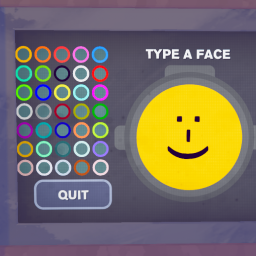 MoreColors More face colors, and your face color carries over to your suit.
 -
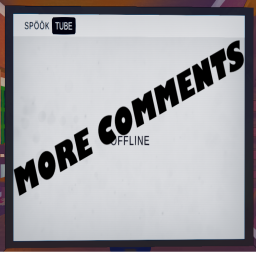 More_Comments New and reworked comments on your videos, and you can edit them yourself.
 -
 Boombox A boombox to buy in the shop. Add your own music; friends need the same songs.
Questions
- Do my friends need Pulsar too?
- No. They need the host's mods at the same versions, however they install them.
- Do I need to install BepInEx first?
- No. Pulsar installs the BepInEx pack Content Warning mods run on, along with your mods.
- Does it work on a Mac?
- No. Content Warning is a Windows game, and Pulsar runs it on Windows and Linux.
- Is Pulsar free?
- Yes. Download it and start adding mods, no sign-up needed.